
The whole rig, in plain sight.
See your amp, pedals and signal chain in one place. Drag a pedal to move it in the chain, or turn a knob and hear the change on the amp.

rōnin noun a samurai without a master
A fresh spark for your Katana.
ToneRonin is an independent desktop editor for BOSS Katana players. Dial in a sound with amp models and effects beyond the front panel, or ask a compatible AI app for “a blues crunch that gets dirty when I dig in.” Hear it on your Katana, tweak it as you play, and save it for the next time you plug in.
About early access
The rig
See your amp, pedals and signal chain in one place. Drag a pedal to move it in the chain, or turn a knob and hear the change on the amp.
Open the amp picker to see the amp types available inside your Katana, then dial in the one you want.

Choose the effect for each pedal slot and adjust its controls while you play. Keep favourites ready in the pedal’s variations.


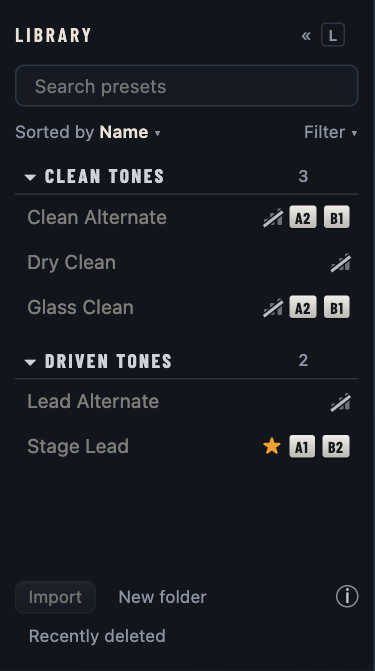
Organise presets in folders, keep their history, and import your existing presets. When you store a preset to an amp channel, ToneRonin backs up what was there.
Beyond the panel
Describe a tone to a compatible external AI app. It can work with ToneRonin to adjust the live sound, and you can hear and refine the result on your amp.

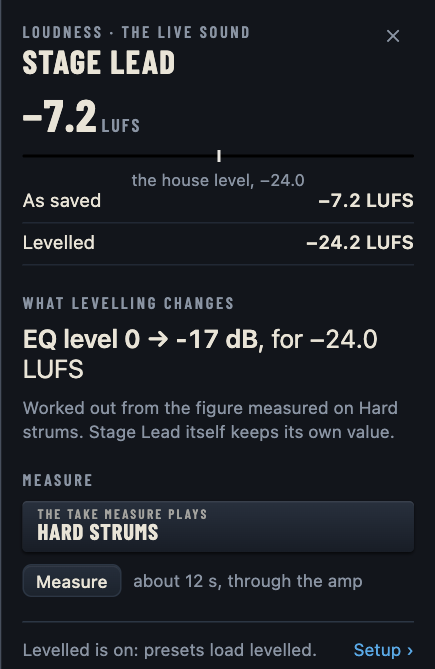
You turn up the master for a quiet preset you downloaded. One click later, your favourite lead tone has the windows rattling. Match the levels of presets from different sources so you can leave the master where it is.
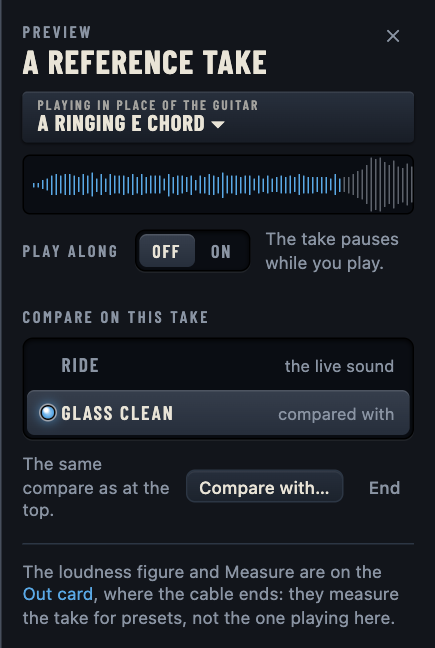
Record a short take once. Run the same playing through two presets and switch between A and B to hear what each one does.
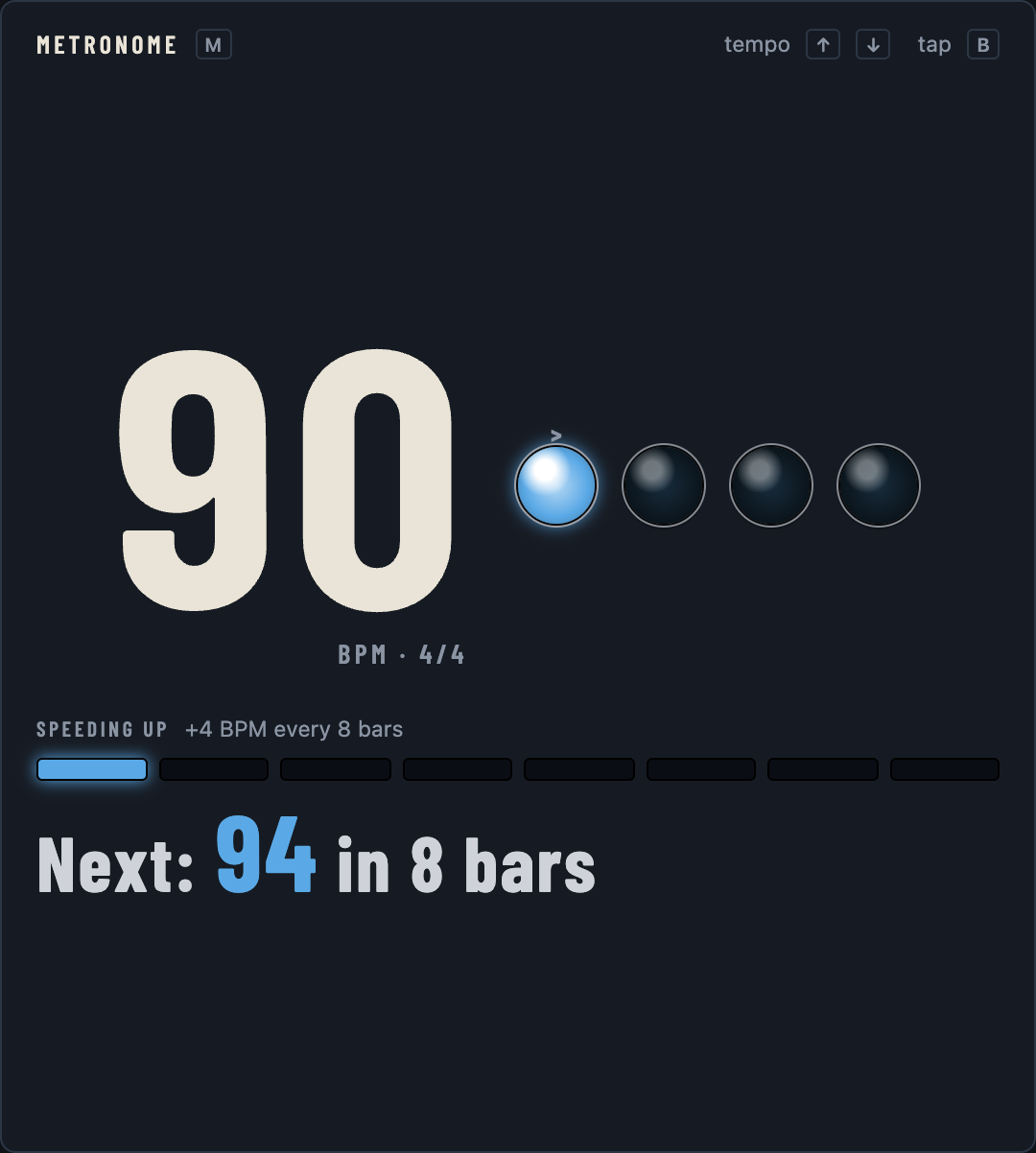
Tune up silently, then start the metronome at a tempo you can play cleanly. Let it climb a few BPM every few bars while you work on the tricky bit.
FAQ
ToneRonin can edit sounds and save presets on supported BOSS Katana amps. Check your model in the compatibility table.
ToneRonin can adjust the live sound, write a channel when you choose Store, and change USB audio levels with your permission. Firmware, factory reset and system settings stay outside its controls.
Loading, previewing or comparing a preset changes the live sound. When you deliberately store to a channel, ToneRonin keeps a backup of that channel’s previous sound so you can restore it.
You need a compatible external AI app and have to turn on agent access in ToneRonin. ToneRonin works as a desktop editor with agent access off.
The editor and local library work without a ToneRonin account. You’ll need internet access to download new builds and check for updates. Your external AI app may have its own account and connection requirements.
Yes. The current version is free to use with your amp through . An update may extend that date. After a build expires, you can still read and export your library, but you’ll need a newer build to control your amp. A future release may be paid.
ToneRonin is free during early access. You can use the current version through . An update may extend that date. A future release may be paid.
We’d love to hear from our first 100 players while we’re deciding what goes into ToneRonin’s first full release. Whether there’s a feature you miss, a detail you hope we’ll keep, or something that didn’t work as expected, you can reach us at support@toneronin.com. Thanks for bearing with us - we’ll get it right.
One place you can make a real difference is with your own Katana. We’ve had limited access to hardware, and we keep the amp compatibility FAQ up to date as we test more models. If you’d enjoy working with us to get ToneRonin running well on yours, just mention which amp you play when you write. That’s the kind of contribution we’d like to reward.
Early access
Check compatibility with your Katana before downloading. Installation guides for Mac with Apple silicon and Windows x64.
Free during early access. Early-access builds have a stop date. A later release may be paid.
Coming soon